A weekend AI game needs a cut list
Plan a weekend AI game around one mechanic, an early playable build and a clear cut list so you still have time to test and share it.
Practical tutorials for building games with AI. Make your first game, create art and video, give it sound, and share what you build.
Make your first AI-assisted game by building a tiny collecting challenge, testing it in short steps and giving someone else a playable link.
Start readingPlan a weekend AI game around one mechanic, an early playable build and a clear cut list so you still have time to test and share it.
Use GDevelop events to build a simple collection game, with small AI-assisted changes and clear checks for score, completion and restart behavior.
Write a short AI game brief that explains the controls, goal and first milestone, with an example you can adapt before your next coding session.
Create and edit AI-assisted sound effects for movement, rewards and warnings, then test their timing and clarity inside a playable scene.
Edit trailer music, gameplay sounds and transitions into a clear audio sequence, with simple listening checks that work before you learn advanced mixing.
Compare Godot and Phaser through a tiny playable project, focusing on editing, debugging and web delivery rather than a generic feature checklist.
Evaluate an AI game builder with a repeatable mini-game brief, checking revisions, debugging, export and ownership before investing in a larger project.
Run a useful first playtest by watching where a player gets confused, asking specific questions and fixing one clear problem at a time.
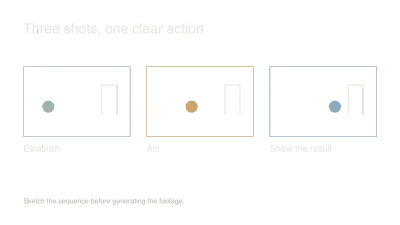
Build a short AI-assisted game trailer around one clear action, with a practical shot plan, useful generated inserts and an ending that invites people to play.
Create a small game icon family with consistent silhouettes, transparent edges and actual-size checks for menus, inventory and mobile screens.
Write a useful AI music brief, choose a small sound palette and test a track inside your game before generating a whole soundtrack.
Create a small matching set of AI game assets by choosing a visual brief, approving three objects and checking them inside the actual game.
Plan an AI video with a simple three-shot storyboard, clear movement and reusable references so each generation has a purpose in the finished edit.
Evaluate a Suno music cue through editing, export and actual gameplay, with practical checks for loops, repetition and the usage terms that apply to your release.
Turn a small AI game development change into a useful devlog with real before-and-after evidence, a short explanation and a question people can answer.
Find the slow handoff in your AI game workflow, compare one replacement on a real task and stop tool switching from consuming the time meant for building.
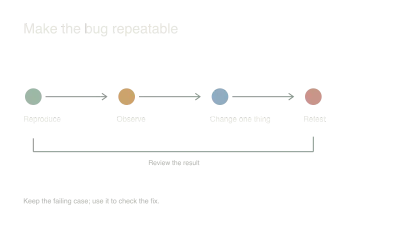
Turn a confusing game bug into a small, repeatable example and give your AI assistant enough evidence to fix it without replacing working code.
Give a small AI game a clear audience, a readable gameplay clip and a useful first-player test instead of treating discovery as something to solve after launch.
Clean transparency, align sprite frames and choose sensible import settings so generated game art behaves properly when it replaces your placeholders.
Break an AI game request into a bounded system with clear inputs, owned state and a small integration test so each change remains understandable.
Take a small Godot project through web export, hosting and browser checks before adding more content, with attention to input, audio and loading.
Prototype AI-assisted levels from real movement constraints, compare a few purposeful layouts and tune a gray-box room through observation instead of decoration.
Track source files, generation details, edits and usage terms alongside AI game assets so replacement, collaboration and publishing decisions stay manageable.
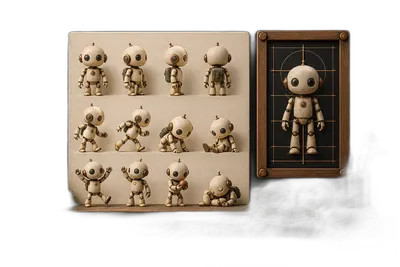
Build a useful character reference, separate identity from visual style and check pose variations before committing to a full animation set.
Use reference frames, stable screen direction and deliberate cut points to make separately generated AI video clips feel like one continuous scene.
Organize a ComfyUI game-art workflow around saved inputs, explicit dependencies and controlled variations so promising results are easier to reproduce.
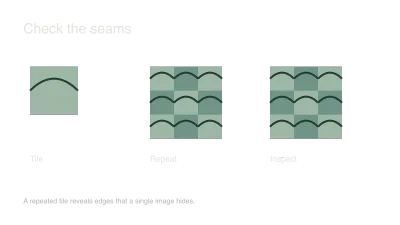
Turn generated texture ideas into a coherent tileset by checking repeat seams, shared scale and a small playable room before making dozens of variations.
Create a looping video background with restrained motion, a clean seam, readable foreground content and a still-image fallback for reduced motion.
Adapt a small browser game for touch with clear controls, release handling and real-device playtests instead of shrinking the desktop interface.
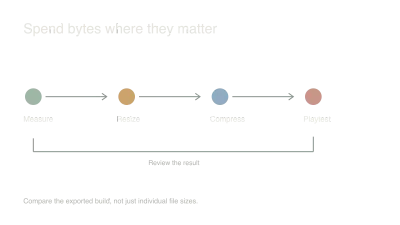
Measure a browser game's asset costs, resize and compress the expensive files, and compare real loading and play behavior before chasing tiny savings.
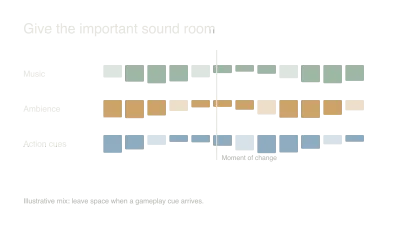
Balance music, ambience and gameplay sounds with clear priorities, repetition checks and practical tests on headphones and small speakers.
Use Runway's documented Gen-4 workflow to plan a controlled atmospheric shot, inspect usable footage and judge the result inside a real edit.
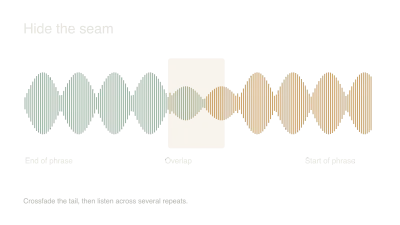
Find a musical phrase, preserve its tail and inspect the join so generated music repeats without an obvious click, gap or awkward rhythmic reset.
Evaluate Midjourney style references with three related game assets, checking shared visual qualities, identity limits and the cleanup needed for real use.
Read AI game success claims carefully, separate revenue from other outcomes and choose a useful measure for the small project you are actually building.
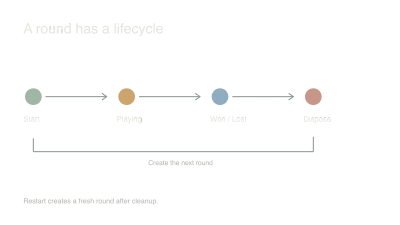
Use explicit game states and a single reset boundary to prevent duplicate timers, stale input and half-reset rounds in an AI-assisted game.
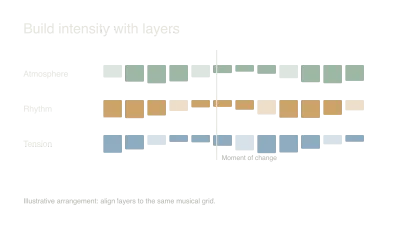
Design synchronized music layers, stable intensity states and interruption rules so an adaptive soundtrack responds to play without restarting on every event.
Design a versioned save format with validation, migration and failure behavior so future AI-assisted changes do not strand your players' progress.
Use a known behavioral reference, small comparison scenes and explicit boundaries to make ambitious AI-assisted game work easier to inspect and debug.