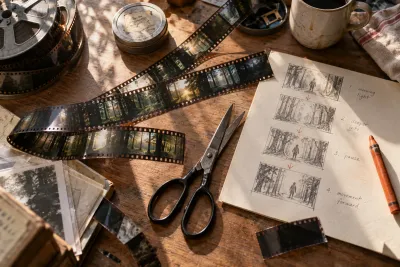
Start your AI cinematic with a shot you can finish
I'd begin an AI cinematic with a still frame I already like and one movement I can describe clearly. That gives me a useful first test: can the shot keep its identity while something moves?
Lock the scene before animating it
Choose an approved composition with the important character, prop or location already in place. Decide what the shot needs to communicate: approaching a doorway, noticing a light or revealing a landscape.
Runway's Gen-4 prompting guide recommends simple, motion-focused prompting. For that workflow, I'd start with a slow camera approach or a restrained environmental action, then change one instruction at a time.
This is a guide to that documented workflow, not a claim that Gen-4 is the newest model or that every Runway model behaves the same way. Check the documentation for the model you select.
Count usable seconds
Watch the entire candidate at normal speed. Then inspect the action and the frames near your intended cut points. Look for altered props, changing geometry and a character silhouette that drifts away from the reference.
Mark the region you can actually use. A strong opening frame doesn't make a whole clip production-ready, and a flawed ending doesn't necessarily make the earlier passage worthless.
I would keep notes on the prompt, input frame and selected interval. If you return later for a matching shot, those details are more useful than a folder of unlabeled exports.
Put the shot between its neighbors
Import the selected passage into the edit. Check its movement, light and composition against the preceding and following shots. A clip can look convincing alone and still break the scene at the cut.
Try a tighter trim or a detail insert before regenerating. Include the time spent selecting and repairing footage when deciding whether the workflow fits your project.
For a game trailer, distinguish illustrative cinematics from actual gameplay when the difference could mislead the viewer. I'd keep the first experiment short enough to finish, export and evaluate on the destination screen. A completed five-second shot teaches more about the workflow than ten unfinished dramatic sequences.
Watch and learn
Companion videos from other creators. Interfaces and versions may differ from your project.
Introducing Runway Gen-4Runway · YouTubeOfficial model introduction with visual examples, rather than a complete game-trailer tutorial.Sources and further reading
- Runway: Gen-4 video prompting — accessed Sep 9, 2026
Make something of your own
Describe an idea and play it in minutes.
Create