A weekend AI game needs a cut list
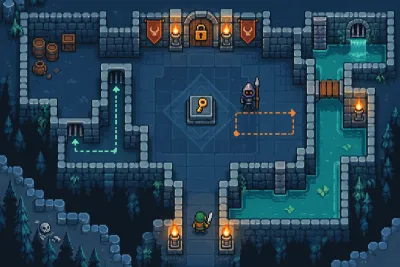
Plan a weekend AI game around one mechanic, an early playable build and a clear cut list so you still have time to test and share it.
Turn a small idea into something people can play. Practical AI workflows, engines, debugging and publishing.
Plan a weekend AI game around one mechanic, an early playable build and a clear cut list so you still have time to test and share it.
Make your first AI-assisted game by building a tiny collecting challenge, testing it in short steps and giving someone else a playable link.
Write a short AI game brief that explains the controls, goal and first milestone, with an example you can adapt before your next coding session.
Run a useful first playtest by watching where a player gets confused, asking specific questions and fixing one clear problem at a time.
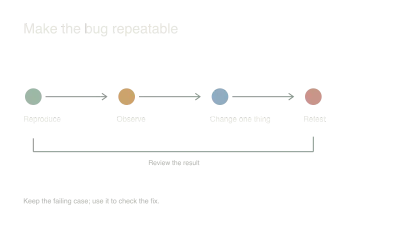
Turn a confusing game bug into a small, repeatable example and give your AI assistant enough evidence to fix it without replacing working code.
Take a small Godot project through web export, hosting and browser checks before adding more content, with attention to input, audio and loading.
Prototype AI-assisted levels from real movement constraints, compare a few purposeful layouts and tune a gray-box room through observation instead of decoration.
Adapt a small browser game for touch with clear controls, release handling and real-device playtests instead of shrinking the desktop interface.
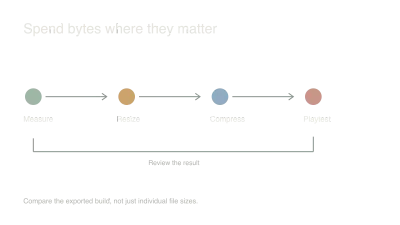
Measure a browser game's asset costs, resize and compress the expensive files, and compare real loading and play behavior before chasing tiny savings.
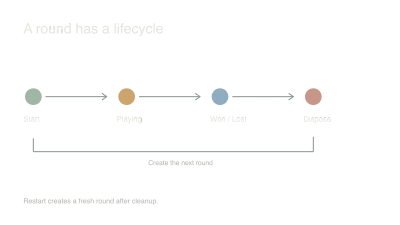
Use explicit game states and a single reset boundary to prevent duplicate timers, stale input and half-reset rounds in an AI-assisted game.
Design a versioned save format with validation, migration and failure behavior so future AI-assisted changes do not strand your players' progress.