Try one Suno cue in your game before planning a soundtrack
A song can be enjoyable to listen to and awkward to play under. I'd test Suno with one cue for one scene, then take that cue all the way into the game. That's where you'll discover whether the arrangement leaves room for the player.
Give the cue a practical brief
Write down the activity, energy and expected listening duration. A short arcade round and a slow puzzle room ask different things of the music. Decide whether vocals would distract from instructions or other sounds.
Ask for a restrained instrumental direction if that fits the scene. Keep a few candidate passages and listen for sudden changes, prominent fills and an ending that arrives before the player is ready.
I would choose the passage by how it supports the activity, rather than how impressive its introduction sounds on its own.
Test the export you will depend on
Suno Studio's current overview describes editing and export workflows. Check the options available to your account, export a small candidate and open it in the editor or engine you plan to use.
Inspect the start, end and any separated tracks you intend to work with. Don't design an adaptive score around exports you haven't actually checked. A timeline feature is only useful to your project when the resulting files behave as needed.
Keep the original export separate from the edited game asset. Record the generation details and the terms relevant to your account and intended release before publishing.
Listen through several rounds
Put the cue under real play, including failure and restart. Does the opening become tiring? Can you hear rewards and warnings? Does the music end while the scene is still active?
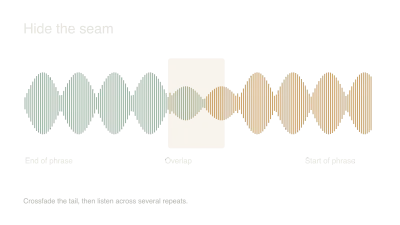
Trim a suitable region, work on its loop and use deliberate fades where the game changes state. If the arrangement is too busy, try a simpler candidate before building a complicated mixing solution around it.
My verdict would be specific: this workflow produced a useful puzzle-room cue after these edits, or it still needs a different arrangement. One successful cue gives you a sound direction to build on. It doesn't require you to generate a whole album before you know what the game needs.
Watch and learn
Companion videos from other creators. Interfaces and versions may differ from your project.
Getting started in Suno Studio 2.0Suno · YouTubeOfficial introduction to the Studio 2.0 workspace, linked from Suno’s tutorial library.Sources and further reading
- Suno Studio 2.0: features, exports and tutorials — accessed Sep 9, 2026
Make something of your own
Describe an idea and play it in minutes.
Create