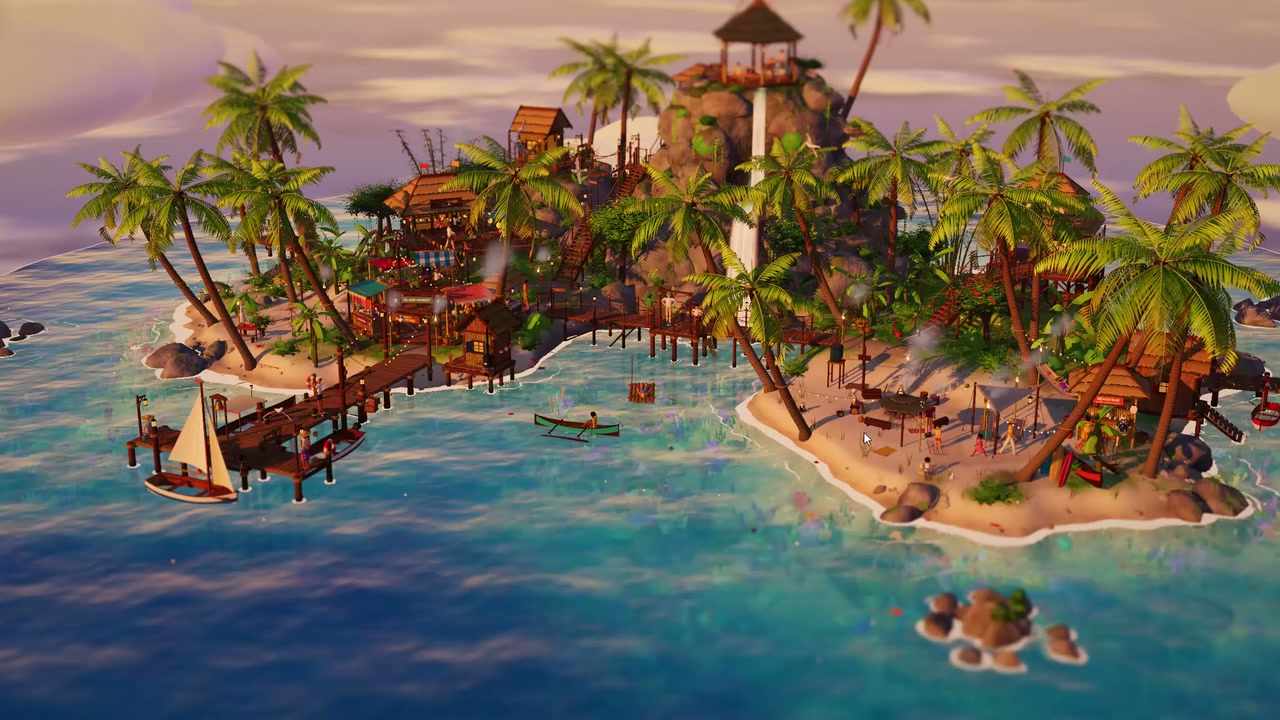
You explore a miniature island with an adventurer. You walk around, chat with islanders, pet the dog, and change the time of day and weather.
Palm trees, wooden walkways, beaches, and clear water fill the island. You can follow the adventurer, look over the whole island, or take a scenic camera tour.
How to explore
- Select “Let’s go!” to enter the island.
- Walk with the adventurer and interact with islanders.
- Use “Morning”, “Noon”, “Sunset”, or “Night” to change the time of day, and “Rain” to change the weather.
- Switch between “Diorama”, “Follow”, and “Tour” to change how you look around.
Controls
| Input | Action |
|---|---|
| Camera | |
| Drag | Rotate the camera |
| Right Drag | Pan the camera |
| Wheel | Zoom toward the cursor |
| 2× Click | Fly the camera there |
| F | Follow the adventurer, or back to the diorama |
| C | Scenic tour of the island |
| Esc | Back to the overview |
| Adventurer | |
| W/A/S/D/Arrow keys | Walk |
| Shift | Run |
| Space | Jump, or climb out of water |
| E | Interact |
| Click the ground/Click the map | Walk there in follow mode / fly the camera there |
Features
- Miniature island with beaches, palm trees, and wooden walkways
- Islanders to chat with and a dog to pet
- Time-of-day choices and rain control
- Diorama, follow, and scenic tour cameras
- Tilt-shift blur, bloom, and shadows


Comments