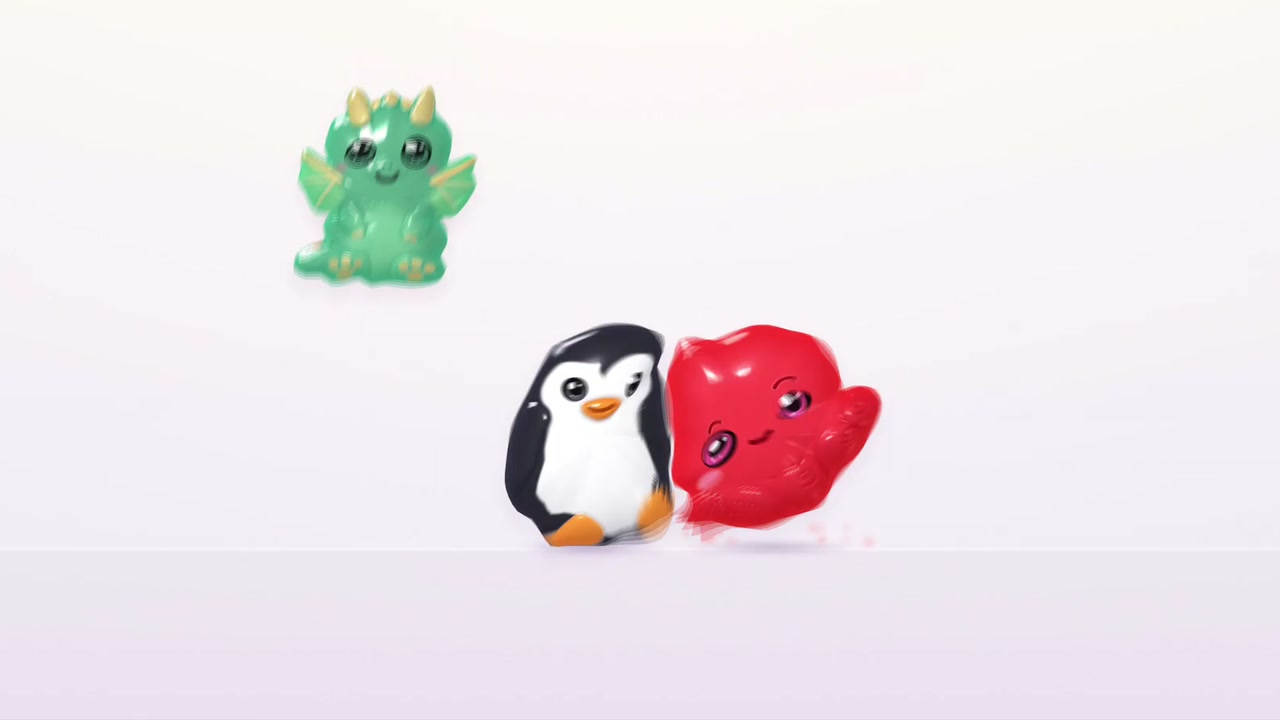
You play with soft squishies in a studio. You poke, squeeze, and drag them. You can pour and stretch slime and blend squishies into new ones.
The squishies include glossy animal shapes and small smiling blobs. They bounce and tumble against a pale background.
How to play
- Choose a squishy to add it.
- Poke, squeeze, or drag it around.
- Drop it on “Drop here to remove” to take it away.
- Try slime or the blender to change what you play with.
Controls
| Input | Action |
|---|---|
| Click a squishy choice | Add that squishy |
| Click a squishy | Poke or squeeze it |
| Drag a squishy | Move it around |
| Drag a squishy to “Drop here to remove” | Remove it |
Features
- Glossy animal and blob squishies
- Poke, squeeze, and drag interactions
- Slime you can pour and stretch
- A blender for making new squishies
- Squishy and color choices




Comments