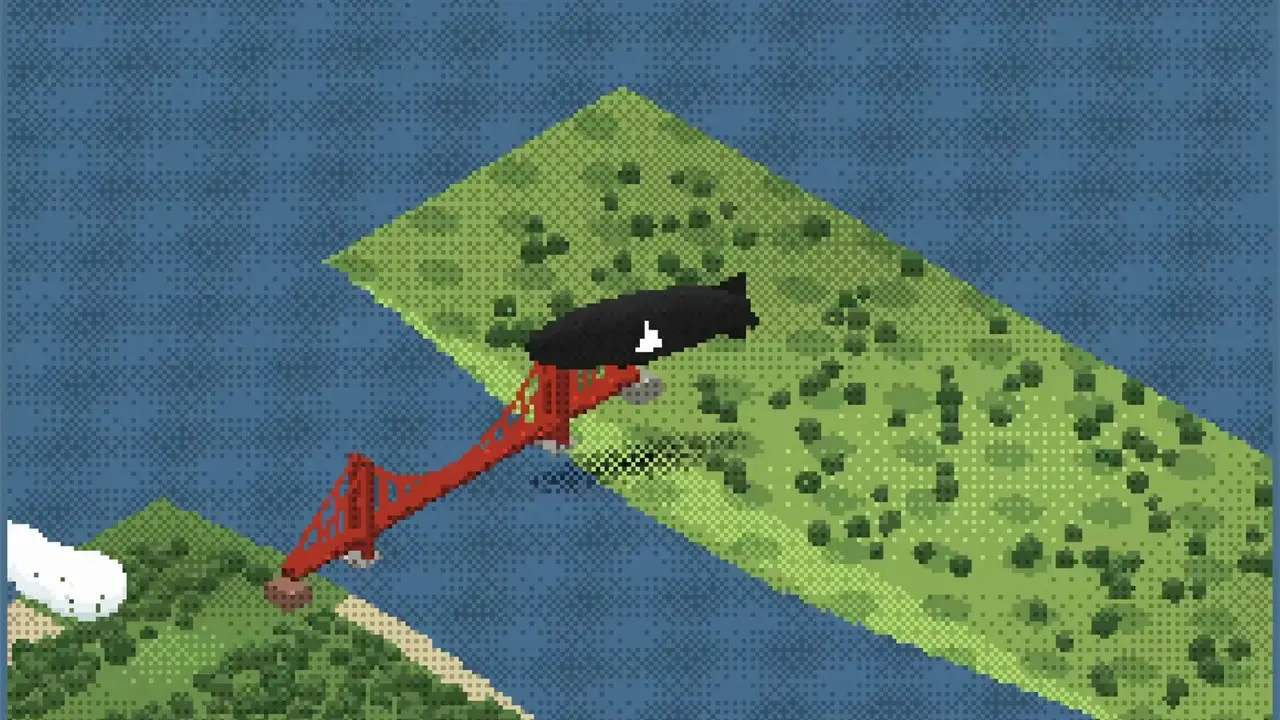
You pilot a blimp over a pixel-art San Francisco. You click to send it across the map or use the arrow keys to steer it. A counter tracks the miles you travel.
You see green shores and blue water from an isometric view. The red Golden Gate Bridge stands beneath your blimp, and you can pan across the scene as you fly.
How it works
- Click a point to send the blimp there.
- Use the arrow keys to steer and scroll to pan.
- Fly over the city and watch your distance traveled.
Controls
| Input | Action |
|---|---|
| Click a point | Send the blimp there |
| Arrow keys | Steer the blimp |
| Scroll | Pan the view |
Features
- Isometric pixel-art city and coastline
- Golden Gate Bridge, Alcatraz, and the city skyline
- Miles-traveled counter
- “Map” button








Comments